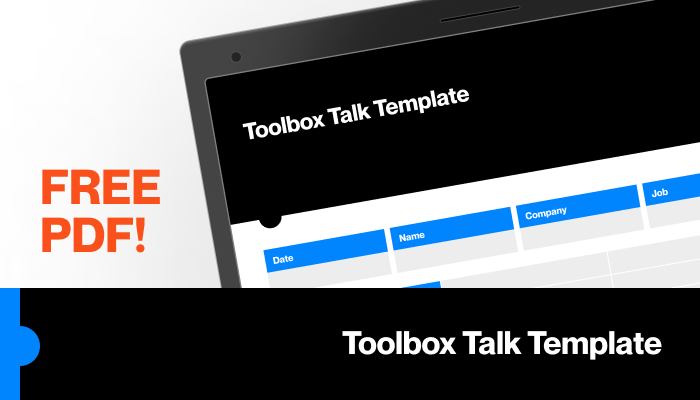
Every worksite faces unexpected hazards—slips, equipment malfunctions, weather changes. Safety isn’t a one-time training event. It’s an ongoing conversation. That’s where toolbox talks come in. These short, focused safety meetings keep teams alert, informed, and compliant. But without the right structure, they lose impact fast. A well-designed toolbox talk template ensures consistency, clarity, and legal protection. And when you can download it for free as a PDF? That’s efficiency with zero friction.
Here’s how to access and use high-quality toolbox talk templates—plus real-world guidance on making them effective.
Why You Need a Standardized Toolbox Talk Template
Too many safety meetings fail because they lack structure. Someone quickly talks through a hazard without documentation, accountability, or follow-up. That’s not just ineffective—it’s risky. A standardized template fixes that.
A good toolbox talk template does three things:
- Organizes key information: Date, location, topic, attendees, supervisor.
- Focuses the message: One hazard, one solution, clear takeaways.
- Creates a legal record: Proof of training and communication.
Without a template, details get missed. Workers forget. Inspectors ask questions. A free PDF template eliminates guesswork. It gives every safety leader the same starting point—no reinventing the wheel each week.
And yes, you can find reliable, ready-to-use templates at no cost. But not all are created equal.
Key Elements of a High-Performance Toolbox Talk PDF
Before you download any template, check what’s inside. A quality toolbox talk PDF should include:
- Header with project/site info: Site name, supervisor, date, time
- Topic title: Clear and specific (e.g., “Fall Protection at Heights”)
- Hazard description: What could go wrong?
- Prevention steps: What to do (and not do)
- PPE requirements: Helmets, gloves, harnesses—list them
- Discussion points: Prompts to engage the team
- Attendee sign-off section: Legal proof of participation
Avoid templates that are too vague (“General Safety”) or overly complex with 10 pages of text. The best ones fit on one or two pages—enough to cover essentials, not so much that people tune out.
Pro tip: Always leave space for notes. Workers often raise site-specific concerns during the talk—capture them.
Top 5 Free Toolbox Talk Template PDFs (Trusted Sources)
Not all free downloads are safe or useful. Some come from obscure sites with ads, malware risks, or outdated OSHA references. Stick to reputable providers. Here are five reliable options:
| Source | Features | Download Format | Best For |
|---|---|---|---|
| OSHA.gov | Official templates, compliant with standards | PDF, plain text | Regulatory alignment |
| SafetyCulture (iAuditor) | 50+ ready-made templates, customizable | PDF, app-based | Construction, manufacturing |
| Creative Safety Supply | Visual templates, multilingual options | PDF, editable | High-traffic industrial sites |
| WorkSafely | Simple, one-page formats | Small crews, quick meetings | |
| HSE.gov.uk | UK HSE-compliant, adaptable to US standards | PDF, DOC | International teams |
All are free. All are downloadable as PDFs. Most allow light customization so you can add your company logo or adjust for site-specific risks.
Limitation note: Free templates may not cover niche hazards (e.g., confined space welding). Always review and adapt.
How to Customize Your Free Template for Maximum Impact
Downloading a PDF is step one. Using it effectively is step two.
Start by editing the template to reflect your operations. Remove irrelevant sections. Add your company header. Insert real examples from past incidents.
For example: If your crew recently had a near-miss with a forklift, update the “Material Handling” template to include that story. Personalizing content increases retention.
Next, assign ownership. Rotate the lead speaker weekly. Use the template as a guide, not a script. Encourage open discussion.
Finally, file the signed PDFs in a safety binder or cloud drive. Organize by date and topic. Need to prove compliance during an audit? You’ll have it in 10 seconds.
Common mistake: Treating the template as a checklist to rush through. That defeats the purpose. Use it to spark conversation, not silence it.
Common Topics Covered in Toolbox Talk Templates
Your download should include templates for the most frequent and dangerous hazards. Here’s what to expect:
- Fall protection – Scaffolding, ladders, roof work
- Electrical safety – Lockout/tagout, live circuits
- PPE usage – Gloves, respirators, eye protection
- Hazard communication – Chemical handling, SDS review
- Excavation safety – Trench collapses, shoring
- Working in confined spaces – Ventilation, entry permits
- Heat stress & hydration – Summer operations
- Machine guarding – Moving parts, maintenance
If your free PDF pack lacks these, supplement it. Missing a topic? Create one using the same format. Keep the tone clear, direct, and visual.
Real-world use case: A roofing crew uses a fall protection template every Monday. They show a photo of a damaged harness found last week. It starts a 10-minute discussion on inspection routines. That’s value.
How Often Should You Use Toolbox Talk Templates?
Frequency matters. OSHA doesn’t mandate a specific schedule, but best practice is weekly—especially in high-risk environments like construction, manufacturing, or utilities.
Daily talks work for short-term projects or after incidents. Monthly isn’t enough. Safety fades from memory.
Build it into the routine: Start every Monday at 7:15 AM. Use the same spot. Keep it under 10 minutes.
Track participation. If someone misses a session, require a one-on-one briefing. The signed template PDF proves they’ve been briefed.
Workflow tip: Schedule the next three topics in advance. Example: Week 1 – Ladder Safety, Week 2 – Eye Protection, Week 3 – Emergency Evacuation. Reduces last-minute scrambling.
The Hidden Cost of Skipping the Template
Some teams skip templates, relying on “quick verbal reminders.” That’s a liability.
Without a structured template:
- Details get omitted
- New hires miss critical info
- There’s no proof of training
- Consistency drops across supervisors
During an OSHA inspection, “We talk about safety all the time” isn’t enough. They’ll ask for records. A stack of signed toolbox talk PDFs is your best defense.
Templates also reduce supervisor stress. You’re not winging it. You have a clear guide. That builds confidence—especially for junior leads.
How to Distribute and Store Your Toolbox Talk PDFs
Downloaded your template? Now make it usable.
Best distribution methods:
- Save to a shared drive (Google Drive, Dropbox, SharePoint)
- Print and post in break rooms
- Email to foremen weekly
- Load into a safety app (like iAuditor or SafetyTek)
For storage, create a folder structure: Safety Meetings / 2024 / 04-April / Week_2_Toolbox_Talk_Fall_Protection.pdf
This makes retrieval fast. Bonus: Use optical character recognition (OCR) when scanning signed paper copies, so they’re searchable.
Realistic tip: Don’t rely only on paper. Phones and tablets make digital sign-off easier. But have a backup—like a printed copy—when Wi-Fi fails on remote sites.
Make Safety Stick: From Download to Daily Practice
Getting a free toolbox talk template PDF is easy. Making it work is the real challenge.
Start with a trusted download. Customize it to your site. Use it weekly. Engage your team. Save every signed copy.
Templates aren’t paperwork. They’re protection—against accidents, injuries, fines, and downtime.
Download one today. Run your next talk tomorrow. Turn safety from an obligation into a habit.
Frequently Asked Questions
Where can I get a toolbox talk template PDF for free? Reputable sources include OSHA.gov, SafetyCulture, Creative Safety Supply, and HSE.gov.uk—all offer free, downloadable PDFs.
Can I edit a free toolbox talk template? Yes. Most free PDFs are designed for light customization—add your logo, adjust headings, or insert site-specific hazards.
How long should a toolbox talk last? Keep it between 5 and 10 minutes. Focus on one clear topic to maintain engagement.
Do I need to sign toolbox talk forms? Yes. Attendee signatures prove participation and are critical during audits or incident investigations.
Are toolbox talk templates OSHA compliant? Templates from OSHA or trusted safety providers align with OSHA standards, but always verify they match your specific work environment.
What topics should be covered in toolbox talks? Common ones include fall protection, PPE, electrical safety, hazard communication, and emergency procedures.
How often should toolbox talks be held? Weekly is ideal. Daily talks may be needed after incidents or on high-risk projects.
FAQ
What should you look for in Free Toolbox Talk Template PDF Download & Best Practices? Focus on relevance, practical value, and how well the solution matches real user intent.
Is Free Toolbox Talk Template PDF Download & Best Practices suitable for beginners? That depends on the workflow, but a clear step-by-step approach usually makes it easier to start.
How do you compare options around Free Toolbox Talk Template PDF Download & Best Practices? Compare features, trust signals, limitations, pricing, and ease of implementation.
What mistakes should you avoid? Avoid generic choices, weak validation, and decisions based only on marketing claims.
What is the next best step? Shortlist the most relevant options, validate them quickly, and refine from real-world results.